
Sportsbook, Live Casino and Slots — m567 Pakistan
m567 brings live dealer streams, slots and a full sportsbook lobby to Pakistan, all accessible from your mobile in seconds. Deposit with JazzCash, Easypaisa or Raast and switch between casino and sports markets in the same account — available where local law permits.
Access may be available only where local law permits.
m567 · Pakistan
Service availability depends on eligible regions and local law. Users should check local rules before opening an account.
Use m567 on any device
Whether you're on your Android phone during a PSL match, on an iOS tablet at home, or on a desktop browser, the m567 lobby adjusts its layout automatically so games, payments and account settings are always within reach.


How we keep your account and data safe
Security at m567 runs at the connection level and at the account level, separately. Your browser session with m567 is encrypted over SSL so data moving between your device and our servers cannot be read in transit. Account access adds a second layer: when you log in from a new device or after a period of inactivity, an OTP is sent to your registered mobile number and must be entered before your session opens. Your transaction history is stored as a timestamped record on your account page, so you can verify every deposit and withdrawal against what your JazzCash, Easypaisa or Raast app shows.
Offers for new accounts

New accounts may be eligible for a welcome offer on their first qualifying sportsbook deposit — check the promotions tab after registering to see what's available. Terms apply.
Open Your Account
New accounts opening for the first time may find a casino welcome offer waiting in the promotions section — eligibility and offer details are shown inside your account. Terms apply.
Open Your AccountPayment methods at m567 Pakistan
Deposits and withdrawals at m567 run on the wallets Pakistan already uses every day. Open your JazzCash or Easypaisa app, send to the account number shown on your deposit screen, and confirm with your mobile PIN — the transaction posts to your m567 wallet once the network confirms it. Raast transfers work through your bank's mobile app using your registered account number. Bank Transfer and Debit Card are also accepted for those who prefer them. Withdrawals follow a verification step where your account details are matched against your registered payment method before the transfer is released. Availability depends on your region and local law.
JazzCash
Easypaisa
Raast
Bank Transfer
Debit Card
m567 from your phone, the way you already browse
The m567 lobby is built for mobile from the ground up — not a desktop site shrunk down. Load it in your mobile browser and the layout shifts automatically: the game grid stacks for thumb scrolling, payment options open in a bottom sheet, and live dealer streams run at a resolution your connection can handle. Whether you're on Android or iOS, no download is required. The sportsbook is particularly clean on mobile — markets load fast and your bet slip stays pinned at the bottom of the screen so you don't lose your place while checking the scorecard.

What's running this week



Getting started on m567
Register
Open m567 and fill in your account details — the form takes under two minutes and sends a verification OTP to your mobile number.
Deposit
Go to My Account, choose your preferred method — JazzCash, Easypaisa, Raast or Bank Transfer — and follow the on-screen steps to fund your wallet.
Choose a game
Browse the lobby by category: Slots, Live Casino or Sportsbook. Use the search bar or provider filter to find a specific title or market.
Play
Open your chosen game or place your sports bet. Your account balance updates in real time and your transaction record logs every round or settled bet.
Withdraw
Head to My Account, select Withdraw, choose your registered payment method and enter the amount. Verification matches your details before the transfer is released.
Platform at a glance
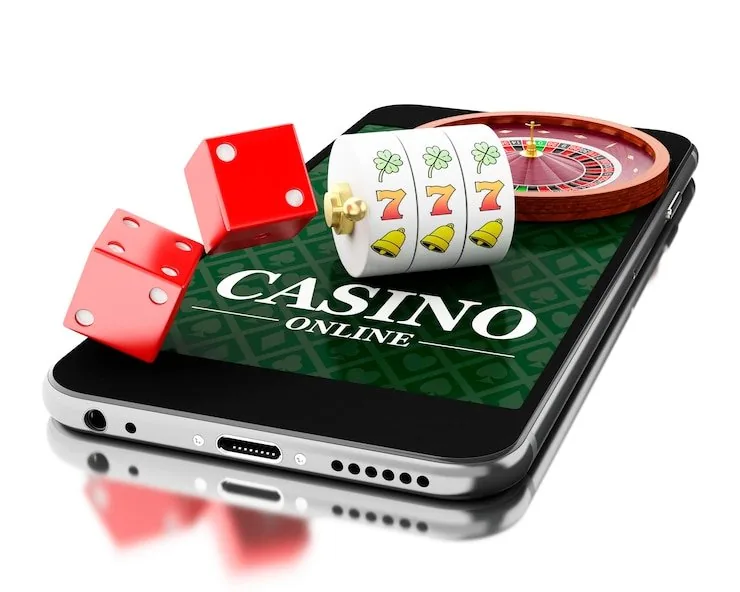
Everything m567 has in one place
Whether you've just watched the last PSL over or you're settling in for a session, open the m567 lobby and your slots, live tables and sportsbook markets are all waiting in the same account.
Support routes inside your m567 account
If something isn't working — a payment that hasn't posted, a game that won't load, or an account verification question — there are three ways to reach us. Live chat is the fastest route for anything time-sensitive. Email works well for account documentation requests where you need a written record. Mobile help covers wallet-related questions specific to JazzCash, Easypaisa and Raast top-ups or withdrawals.
Live Chat
Open the chat icon from any page inside your account. Live chat connects you to the support team directly and is the fastest path for deposit queries, login issues or game-loading problems.
Email Support
Use email when you need a documented response — for account verification steps, withdrawal confirmations or policy questions. Check your account's help centre for the current support email address.
Mobile Wallet Help
For JazzCash, Easypaisa or Raast transaction questions, our wallet help section walks through common issues: transaction reference mismatches, pending deposits and withdrawal verification steps.
Slots, live casino and more under one roof
The m567 games lobby is organised so you can find what you want without scrolling endlessly. Slots from Pragmatic Play — including Gates of Olympus and Sweet Bonanza — sit alongside PG Soft titles like Mahjong Ways. Live casino tables from Evolution cover baccarat, roulette and blackjack with real dealers on stream. Crash games including Aviator and Crash Lightning run their own dedicated room. The sportsbook covers cricket prominently, with PSL matches and international fixtures priced alongside football and kabaddi. RTP figures are shown on individual game pages only where the provider exposes them — we do not publish figures the provider has not released.
Mobile Wallet Help Pakistan
Account Verification Pakistan
Cricket Toss Master
Roulette BlazeSpin
Bahawalpur Bonus Spin
Football HatTrick
Crash Lightning
Easypaisa Wallet Guide
What to check first when you arrive
New to m567? Start by opening your account — the form takes under two minutes and you'll land straight in the lobby. From there, your account wallet sits at the top of every page, showing your balance and a quick path to deposit or withdraw. The games menu is split by category: slots on the left, live casino tables in the centre, sportsbook on the right. If anything isn't clear, the live chat icon sits in the bottom corner and connects you to the support team directly.
Open your account
Fill in your details, verify with the OTP sent to your mobile number, and you're in. The whole process runs on your phone without needing a desktop browser.
Your account wallet
Your balance, deposit history and withdrawal status live in one wallet page. Switch between JazzCash, Easypaisa and Raast payment options from the same screen without logging out.
What's available
Slots from Pragmatic Play and PG Soft, live dealer tables streamed by Evolution, crash games including Crash Lightning, and a sportsbook covering cricket, football and kabaddi markets.
Where to get help
Live chat is available directly inside your account. For account-specific questions, the support team also takes queries over email — response times vary, so live chat is faster for urgent matters.
Frequently asked questions about m567
Quick answers to the things visitors ask most before opening an account or making their first deposit.
How to navigate m567 from any screen
The m567 lobby is divided into four main areas reachable from the top navigation bar on desktop or the hamburger menu on mobile: Slots, Live Casino, Sportsbook and My Account. Inside Slots, use the provider filter on the left to narrow down by studio — Pragmatic Play, PG Soft, and others are listed there. Live Casino groups tables by game type: baccarat rooms, roulette tables and blackjack seats each have their own tab. The Sportsbook opens on the sports menu, with cricket listed at the top given how many markets it carries. My Account is where your wallet, transaction history, personal details and support links all live.
Finding a specific game
Use the search bar at the top of the Slots or Live Casino section and type the game name. Gates of Olympus, Mahjong Ways, Aviator and other titles appear immediately — no need to scroll through the full catalogue.
Switching between casino and sportsbook
Tap or click Sportsbook in the top nav from anywhere in the casino lobby. Your account balance carries over automatically and your bet slip starts fresh. Switch back to casino the same way.
Reaching your account area
My Account is accessible from the user icon top-right on desktop or from the menu on mobile. From there you can check your wallet balance, review your last ten transactions, and update your contact details.
Getting back to the lobby
The m567 logo in the top-left corner returns you to the main lobby from any page — game room, sportsbook, or account settings. On mobile it sits at the top of the open menu as well.